
Local SEO for Multi-Location & Service-Area Businesses
Location-page architecture, service-area vs storefront listings, when to use one GBP vs multiple, and the duplicate-content traps every multi-location business hits.
Last updated:
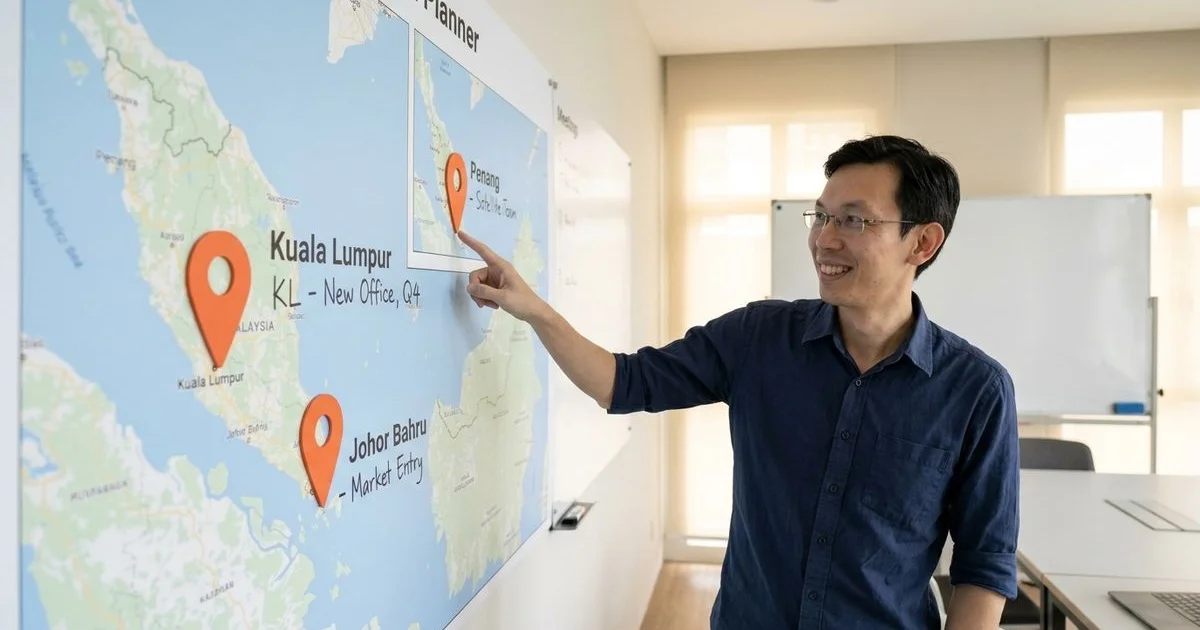
The two scenarios this guide covers
You’ve got a business operating in more than one place, and you need local SEO. In our experience, this almost always falls into one of two buckets. Getting the strategy right starts with knowing which one you’re in.
Scenario A is the classic franchise or chain model. Think of a retail brand with shops in Kuala Lumpur, Penang, and Johor Bahru. Each branch is a physical spot on the map, complete with its own address, staff, and operating hours.
Scenario B is the service-area business. This is a company, often based in a central hub like Mont Kiara, that serves customers across a wider region like the Klang Valley or even the whole of Malaysia. The team travels to the client, so there isn’t a public storefront in every city they cover.
The correct SEO approach for each is fundamentally different. Our Local SEO service is built to handle both, but the setup and ongoing work diverge significantly. (If you’re brand new to the discipline, our introduction to Local SEO walks through the fundamentals before you tackle the multi-location nuances.)
Decision: one GBP or multiple
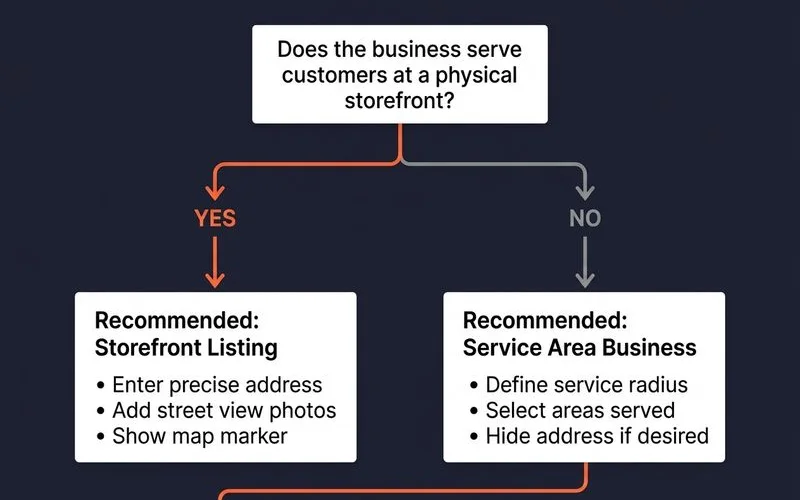
The first major decision is how to structure your Google Business Profile (GBP) listings. Getting this wrong can lead to duplicate listings or poor visibility.
Use multiple GBP listings, one for each location, if you meet these conditions:
- Each location has a distinct, public physical address (not a P.O. box).
- Each branch maintains its own opening hours.
- You have dedicated staff or a team based at each physical location.
- Customers can and do visit you at these addresses for services.
Use a single GBP listing set up as a service-area business (SAB) if:
- Your team travels to your customers’ locations.
- Operations for all areas are managed from a single headquarters.
- The physical addresses of your team are not public-facing.
- You serve a defined geographic area, like the Klang Valley or Southern Malaysia.
There’s also a hybrid model. If you have a main flagship office that customers visit, plus a team that serves a wider area, you should use one storefront GBP for the main office. Then, you configure its service area to include all the other cities you cover. Never create a second SAB listing for the service area, as Google will likely flag it as a duplicate.
Location-page architecture on your website
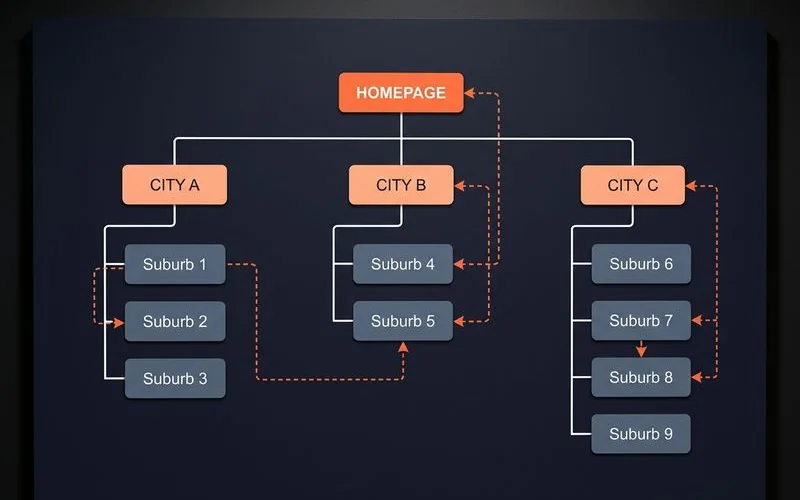
Your website structure must mirror your physical business footprint. The most effective pattern we’ve found is creating one primary “parent” page for each city you serve.
For instance, at Adam SEO, we have distinct pages for our key service areas like Kuala Lumpur, Penang, and Johor Bahru. This structure creates clear, authoritative hubs for each market. You can add more granular pages for suburbs later, but only when the main city page has gained traction.
The best practice for URL structure is /locations/{city}/.
Each location page must be a unique, valuable resource. Here is a checklist we use for every client’s location page.
- A clear H1 heading with the city name. Use “Expert SEO Services in Petaling Jaya,” not something vague like “Our PJ Branch.”
- A truly unique introduction. Write 150-200 words of fresh content that isn’t on any other page. Reference local landmarks, specific neighbourhoods, or the unique challenges customers face in that city.
- Local trust signals. This is crucial. Include testimonials from clients in that specific city. Photos of your local team or office also work very well. Another powerful signal is mentioning memberships in local business groups.
- Area-specific service details. Explain which of your services are most popular or relevant in this particular city and why.
- Local FAQs. Answer 3 to 5 questions that are specific to that market. Think about response times, service coverage areas, or local regulations.
- LocalBusiness Schema. Use JSON-LD format to add
LocalBusinessschema markup to the page, clearly defining the city in theareaServedproperty. Tools like Google’s own Rich Results Test can help you verify your code is correct. - Internal links to the nearest locations. A simple link from your Petaling Jaya page to your Shah Alam page helps Google understand the geographic relationship between your service areas.
Duplicate-content traps to avoid
The most common point of failure in multi-location SEO is not the GBP setup. It’s almost always a website with duplicated location pages.
These are the traps we see most often.
Trap 1: Swapping the city name in a template. Creating pages by just changing “[city]” in a sentence like “We offer our great [service] in [city]” is a direct path to failure. Google sees these as “doorway pages,” which are low-quality and often get penalised or de-indexed. Each page needs substantively unique content.
Trap 2: Copying a generic “About Us” section. Your core company information can be consistent. The content that surrounds it, however, must be localised. The introduction, service descriptions, and FAQs need to be specific to that location.
Trap 3: Using the same testimonials everywhere. Client testimonials are powerful, but only when they are relevant. If you have a great review from a customer in Penang, use it on the Penang page. Don’t copy it onto the Johor Bahru page. It’s better to have no testimonial than an irrelevant one.
Trap 4: Forgetting to link between locations. Your location pages should not be orphans. Each page should link to its one or two closest neighbours. This builds a clear map of your service area for Google and helps users find their nearest option.
When to expand the GBP coverage
Knowing when to add a new location or expand your service area is key to sustainable growth. There are two primary triggers for this.
The first trigger is simple: you open a new physical branch. This requires a full setup, including a new GBP listing, building fresh local citations in directories, and creating a new, unique location page on your website with links from nearby cities.
The second trigger is hitting a performance ceiling with your Service-Area Business listing. Your GBP may cover ten cities, but you find you only rank well in the two or three closest to your physical base. This is due to Google’s strong proximity bias. The algorithm heavily favours businesses physically closest to the searcher. If your Google Search Console data shows high impressions but a very low click-through rate for queries in those further cities, it’s a clear sign that you need a physical presence there to compete effectively in the local 3-pack.
Want a multi-location strategy designed for your business? Request a discovery call and we can build one for you.
Quick Answers
Should I have one GBP per city or one shared listing?
How different should location pages be from each other?
Can I rank for multiple cities from one GBP?
Related Guides
Google Business Profile Optimization for Malaysian Businesses
Full GBP playbook for Malaysian businesses: category selection traps, photo/post cadence, review acquisition tactics, and the bilingual NAP-consistency mistakes to avoid.
How to Rank in the Google Map Pack (2026 Local SEO Playbook)
The 3 local-pack ranking factors (relevance, distance, prominence), why you appear in some searches but not others, and the practical playbook to win the 3-pack.
Local Citations and NAP Consistency for Malaysian Businesses
Top Malaysian local directories, the NAP-consistency audit we run on every Local SEO retainer, and how to clean up legacy listings that hurt your map-pack rankings.
Local SEO vs Traditional SEO — Which Does Your Business Need?
When local SEO alone is enough, when traditional SEO matters, and how hybrid e-commerce-with-physical-store businesses split budgets between both.
Ready for the service?
Learn more about Local SEO Services
Map-pack visibility, Google Business Profile optimisation, and citation cleanup for Malaysian businesses serving local catchments.
Explore the Local SEO Service