
The Technical SEO Audit Checklist for Malaysian Websites
Crawl, index, Core Web Vitals, mobile, hreflang for bilingual EN/BM sites — the full Stage 1 audit checklist Adam SEO runs on every new client.
Last updated:
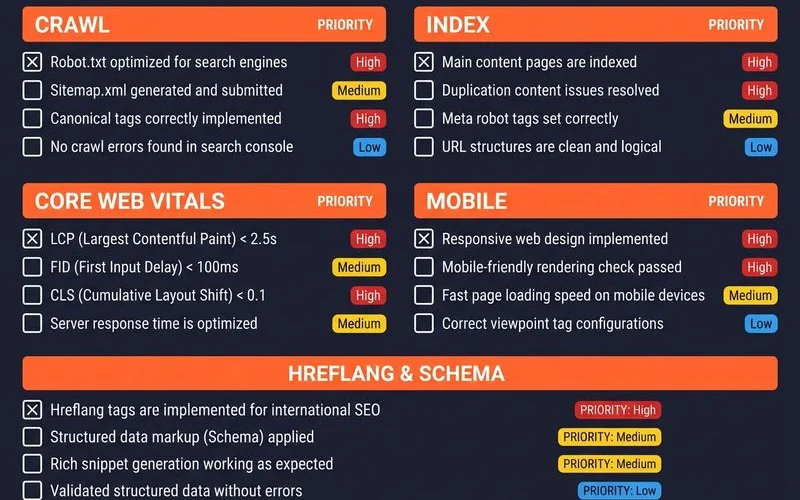
The audit categories
You know how you can have a great looking website with good content, but it just doesn’t seem to get traction on Google? Often, the problem isn’t the content, but the hidden technical setup.
Since our founder, Adam Yong, started this agency back in 2011, we’ve seen firsthand how easily Malaysian websites can be held back by simple, fixable errors.
There are six categories that cover 95% of what matters in a Malaysian technical SEO audit checklist. Getting these right is the foundation for any successful SEO campaign. Our Technical SEO service scrutinises all six areas in every single project we undertake.
Let’s break them down.
1. Crawl audit
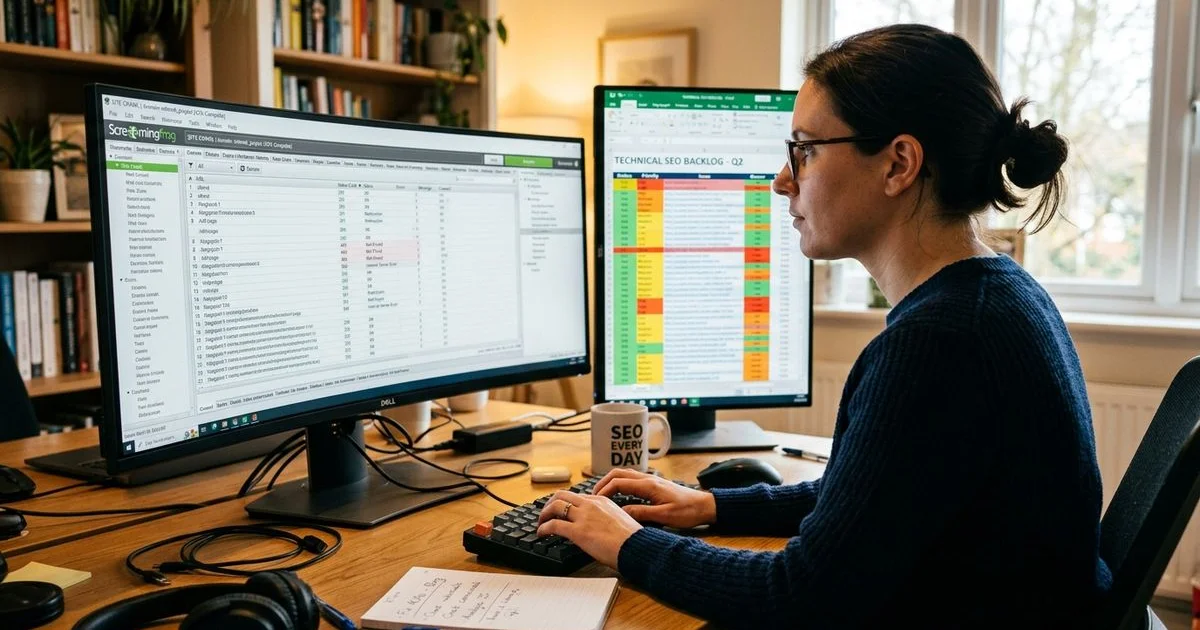
This is the starting point. Before Google can rank your pages, it has to find and understand them. We use tools like Screaming Frog to get a full picture of the site’s structure.
The free version of Screaming Frog is excellent for smaller sites, but it has a crawl limit of 500 URLs. For larger e-commerce stores or corporate sites, a paid licence or alternatives like Sitebulb are necessary.
Here’s what our team checks:
- robots.txt: We ensure it allows crawlers to access important files like CSS and JavaScript, while blocking irrelevant paths. A common mistake we find on Malaysian sites is leaving a
Disallow: /rule from the development phase, which blocks the entire site from Google. - XML sitemap: This file should be up-to-date, submitted to Google Search Console (GSC), and contain only the canonical, indexable URLs you want to rank.
- Internal linking: A healthy site has no “orphan pages” (pages with no internal links pointing to them) and no broken internal links. Functional breadcrumbs are also a must for user experience and crawling.
- Redirect chains: We look for direct 301 redirects. Long chains, where one URL redirects to another and then another, waste Google’s crawl budget and slow down the user experience. While Googlebot can follow up to 10 hops, it’s inefficient and can delay indexing.
- 4xx errors: These are “Not Found” errors. Too many broken internal links waste crawl budget and create a poor user experience.
- 5xx errors: These indicate a server problem. For Malaysian sites, this can sometimes be traced back to shared hosting limitations, especially during high-traffic sales periods.
For e-commerce stores, we often perform a log file analysis. By reviewing 7-30 days of server logs with tools like the Screaming Frog SEO Log File Analyser or JetOctopus, we see what Googlebot is actually crawling. This is often very different from what the site owner believes is happening.
2. Index audit
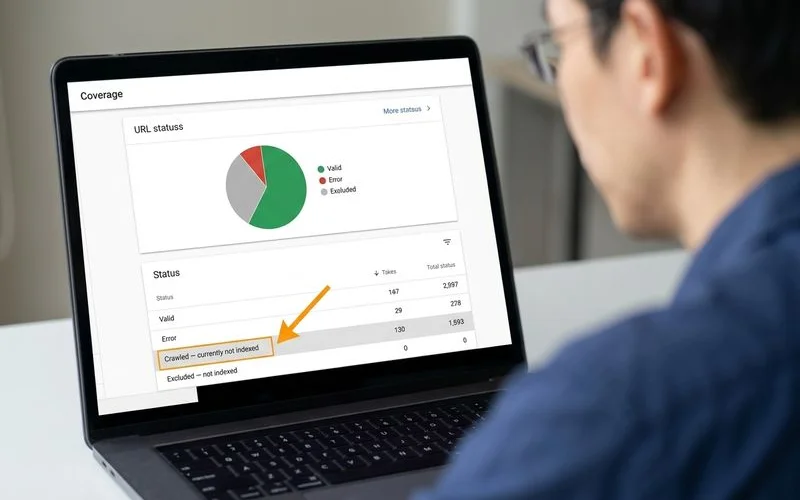
The Google Search Console Coverage report is our source of truth for indexing. It tells us exactly what Google thinks of the site.
- Indexed pages: The number of indexed pages should roughly match the number of valid URLs from your crawl. A big difference points to a problem.
- “Crawled — currently not indexed”: We see this pattern frequently with Malaysian SME websites. It usually means the content is too thin, is seen as duplicate, or the website has low overall authority.
- “Excluded by ‘noindex’ tag”: This should be a deliberate choice. We verify that these are pages you genuinely want to keep out of search results, like internal admin pages or thank-you pages.
- “Duplicate, Google chose different canonical”: This signals a conflict. We investigate these to ensure your canonical tags are set up correctly, telling Google which version of a page is the definitive one.
- Soft 404s: These are pages that return a “200 OK” server status but appear empty to Google. This is often another symptom of thin content.
3. Core Web Vitals scoring
How fast your site feels to a user is a direct ranking factor. We assess every page template against the three Core Web Vitals metrics: LCP, CLS, and INP.
Our process for this is systematic:
- Pull field data from GSC: The Core Web Vitals report in Google Search Console gives us real-world performance trends across the entire site.
- Run lab tests: We use PageSpeed Insights to test key URLs from each template, such as the homepage, a category page, a product page, and a blog post.
- Identify patterns: Often, performance issues are template-based. If 200 product pages are slow to load (failing LCP), the fix usually lies in the product page template itself, not in editing each page individually.
- Prioritise fixes: We document the top five fixes that will have the biggest impact, based on which pages get the most traffic.
4. Mobile audit
Google’s mobile-first indexing means the mobile version of your site is the one that matters for ranking. There is no room for error here.
With a significant portion of Malaysians accessing the internet primarily through their smartphones, a flawless mobile experience is non-negotiable.
Here’s our mobile checklist:
- Mobile responsiveness: Does the site look and work correctly on various iPhone, Android, and tablet screen sizes?
- Tap-target spacing: Are buttons and links big enough and spaced far enough apart to be easily tapped with a finger?
- Viewport configuration: We check for the presence of the essential meta tag:
<meta name="viewport" content="width=device-width, initial-scale=1">. - Content parity: The mobile site must show the same primary content as the desktop site. Any content that is hidden on mobile devices will be largely ignored by Google.
5. Schema and structured data
Schema markup is code that helps search engines understand your content’s context. We validate every type of schema implemented on a site. You can find more details in our structured-data guide and specifics for e-commerce in our online stores schema guide.
Our schema audit ensures:
- The correct schema is on the right template (e.g.,
Articleschema on blog posts,Productschema on product pages). - The code validates using Google’s Rich Results Test.
- The schema content accurately matches the visible content on the page, preventing issues like mismatched review counts.
Organizationschema references are consistent across the entire website.
6. Hreflang for bilingual Malaysian sites
This is one of the most frequently broken technical settings we see on Malaysian websites that cater to both English and Bahasa Melayu speakers. It’s also critical for sites targeting Mandarin-speaking audiences.
Correct hreflang implementation requires precision:
- Tags on every page: Both
<link rel="alternate" hreflang="ms-MY" href="...">and<link rel="alternate" hreflang="en-MY" href="...">tags must be present on every translated page. - Bidirectional links: The English page must link to the Bahasa Melayu page, and the BM page must link back to the English one.
- Self-referencing tag: Each page needs a hreflang tag that points back to itself.
- Use of x-default: This tag specifies the default page for users whose language settings don’t match any of the provided languages.
- Canonical URLs only: The URLs used in hreflang tags must be the final, canonical versions, not URLs that redirect. This is a very common mistake that can invalidate the entire setup.
The prioritisation layer
A site audit checklist that generates a 200-item list of fixes is not helpful. The real value our team provides is in prioritisation.
We rank every finding on three simple axes:
- Revenue impact: Will fixing this improve rankings or conversion rates on pages that actually make money?
- Effort: How many hours will it take? What is the complexity? Are there other dependencies?
- Risk: Is this a simple, low-risk fix or a complex migration that might break something else?
Our team then sorts the list by revenue impact first, using effort as the tie-breaker. This gives our clients a clear action plan, with the top 20-30 items forming the roadmap for the first 90 days. The rest goes into a backlog to be addressed over time.
The deliverable format
Three key assets are delivered with every Adam SEO audit:
- Written executive summary: A clear, concise PDF (usually 8-12 pages) explaining what’s broken, what’s working, what to fix first, and the projected business impact.
- Notion workspace: Every single issue is logged with its severity, assigned owner, status, a description of the fix, and the target URL or page template. This becomes a living document for the project.
- 30-minute walkthrough call: Our founder, Adam, or our technical lead, Mat, will personally walk through the findings with your technical team. This is a crucial step for aligning on priorities and getting commitment for the next steps.
For clients who engage us for a one-off audit, the process ends here. For our retainer clients, this prioritised fix list rolls directly into our monthly workflow.
Want this audit run on your site? — Request a discovery call.
Quick Answers
How long does a full audit take?
Can I do the audit myself with Screaming Frog?
Do I need to fix every issue the audit finds?
Related Guides
Core Web Vitals Explained — LCP, CLS and INP
Each metric defined (LCP, CLS, INP — replaced FID in 2024), thresholds for good/needs improvement/poor, how to measure, and the common causes of failures.
JavaScript SEO and Crawl Budget — Diagnosing Index Issues
How Googlebot renders JavaScript, when client-side rendering breaks SEO, SSR vs SSG trade-offs, diagnosing crawl-budget waste, and the 'Crawled — currently not indexed' pattern.
Ready for the service?
Learn more about Technical SEO Audits
Stage 1 deep-dive audits covering crawl, indexation, Core Web Vitals, schema, and JavaScript rendering — the foundation that every other SEO investment sits on.
Explore the Technical SEO Service